


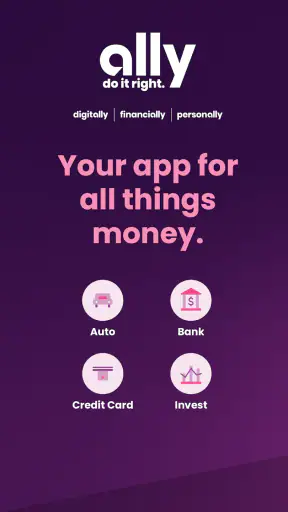
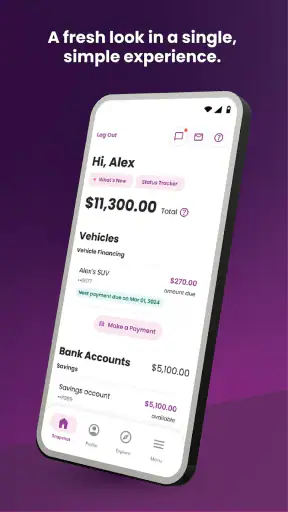
Ally: Bank, Auto & Invest is the kind of finance app I would try when I want my banking, vehicle financing, and investing relationship gathered under one roof. In my experience, that convenience is also where the app’s real challenge begins: a financial dashboard is only useful when the right account appears, sign-in works smoothly, and a delayed update does not look like a missing transaction. Ally Financial develops the app, and its broad purpose makes it more than a simple checking-account companion.
The app is free, aimed at everyone, and belongs to the finance category. It has built a sizeable user base, with more than a million installs, a 4.4 average from roughly forty-one thousand ratings, and about sixteen thousand written reviews. Those figures suggest a mature product that many people rely on, but they should not be mistaken for a promise that every setup will feel effortless. My recommendation depends less on the headline rating and more on whether you already use Ally’s financial services or are comfortable making it your main financial hub.
Where the First Friction Usually Appears
The first point where I would slow down is the initial sign-in and account-selection process. A banking app is not like a casual utility where reinstalling it solves everything. Your access depends on the identity details connected to your Ally relationship, so a mistyped username, an outdated password, or choosing the wrong sign-in path can make the app appear less reliable than it is. I would check those basics before assuming there is a broader outage.
Another common source of confusion is the difference between seeing an account and seeing its latest activity. A balance can be visible while a recent payment, transfer, or investment change takes time to appear. That does not automatically mean the transaction failed. I treat the app as a view into financial records rather than an instant confirmation for every action, especially when money has just moved.
The app covers several distinct areas, so the screen can feel busy if you only need one service. A person interested in everyday banking may not care about auto financing or investments, while an existing Ally customer may appreciate having those relationships close together. That breadth is a strength for households with multiple Ally products, but it creates a small learning curve for someone expecting a single-purpose checking app.
The most useful mindset is to separate access problems from account-update delays. If you cannot sign in at all, focus on credentials and device conditions. If you can sign in but one item looks stale, give the account activity time to update and compare the displayed information with any confirmation you received during the transaction.
What I Check Before Calling Support
I begin with the simplest checks: a stable internet connection, the correct device date and time, and the current app installation. The current version is 26.14.0, and the app requires at least operating system version 10. If the phone is running an older system, updating the operating system may be more useful than repeatedly reinstalling the app. I also avoid switching rapidly between Wi-Fi and mobile data while trying to complete a sensitive action, because an interrupted connection can leave the screen in an ambiguous state.
If the app opens but a page remains blank, I close it fully and reopen it once rather than tapping the same control many times. Repeated taps can make it difficult to tell whether an action was accepted, particularly around transfers or payments. After reopening, I look for the account activity or confirmation area before attempting the action again.
Notifications deserve a practical check as well. If I am waiting for an alert, I verify that the phone is not in a mode that suppresses notifications and that the app has not been restricted by the device’s battery settings. I do not treat a missing notification as proof that a transaction did not happen; I check the account screen directly.
Setting Up a More Reliable Routine
During setup, I would first decide what I actually want to monitor. If I use Ally for banking and investing, I can make the app more manageable by reviewing one account group at a time instead of trying to understand every section immediately. I would also note which balances matter for daily decisions and which are longer-term, because mixing spending money with investment information can encourage unnecessary checking.
For everyday banking, I use the app at deliberate moments: before making a large purchase, after a scheduled payment, and when reconciling the month. That is more dependable than opening it every few minutes and reacting to a balance that may not yet reflect pending activity. For auto financing, I would keep the app as a convenient place to review the relevant relationship, while still saving important payment confirmations separately.
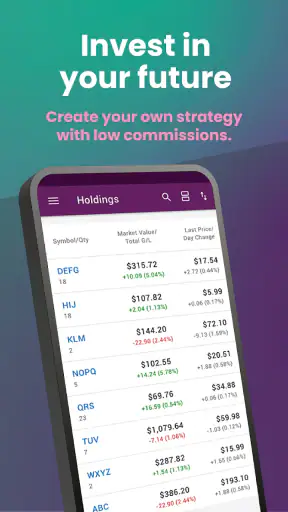
Investing requires a different habit. Market values can change independently of anything the app is doing, so a lower displayed value is not automatically a technical error. I would distinguish between a portfolio value moving with the market, a transaction still processing, and a page that genuinely fails to load. That distinction prevents a technical support question from becoming an unnecessary investment decision.
A useful setup tip is to keep your contact and account information consistent across the financial relationship. When a bank app asks for verification, mismatched details or an old phone number can create friction that looks like an app problem. I would update those details through the appropriate secure account process rather than trying random workarounds inside the app.
Recovering When a Workflow Goes Wrong
My preferred recovery method is conservative: stop, confirm what happened, then retry only when the account history makes the next step clear. Suppose I start a transfer and the screen stops responding. I would not immediately submit it again. I would reopen the app, inspect the relevant account activity, and look for a pending or completed entry. This avoids the most expensive kind of mobile-app mistake: duplicating a financial action because the first attempt was merely slow to display.
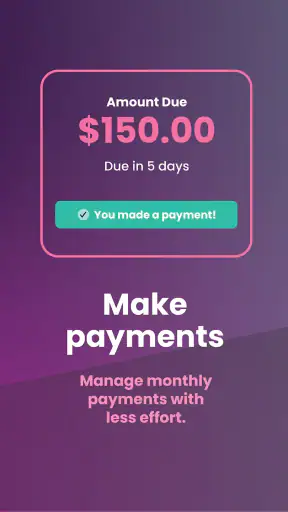
The same approach applies to payments. If a payment screen closes unexpectedly, I would check whether a confirmation appeared in the app or in the account activity before starting over. If the status remains unclear, I would use the official support route connected to the account rather than relying on guesses. For a finance app, a slower but traceable recovery is better than a fast repeated attempt.
When the app returns to the sign-in screen, I first consider whether the session expired or the connection was interrupted. I sign in normally, avoid saving sensitive information in an unsafe place, and check the account summary after access is restored. If the same issue repeats, I record the exact screen and action involved. “It does not work” is difficult to troubleshoot; “the account page opens, but activity does not refresh after signing in” is much more useful.
Reinstalling can help with a damaged local installation, but I would use it later in the process, not as the first response. Before doing so, I make sure I can sign in using the correct credentials and that I know how to complete any security verification. A reinstall may clear local session information, so it is not a good emergency step if I am already unsure about access.
How I Read Different Types of Failure
A blank page, a persistent loading indicator, and an incorrect-looking balance are three different problems. The first two may point to connectivity, a temporary service issue, or a local app state. The third may reflect pending activity, timing, or a transaction that has not posted yet. I would not treat them identically, and I would not make a financial decision based only on a screen that has not refreshed properly.
If only one area fails while the rest of the app works, I focus my notes on that section. For example, an issue limited to investment information is different from being unable to access the entire account. Likewise, if banking information loads but auto-related details do not, that pattern is more useful than repeatedly testing unrelated pages.
One non-obvious advantage of this method is that it protects against false reassurance. A successful app launch proves very little by itself. I want to see the correct account, a recognizable recent activity entry, and a clear status before I consider a workflow complete. That habit is especially valuable when the app brings banking, auto finance, and investing into one interface.
When the App Is Not the Cause
Some apparent app failures originate outside the app. A bank transfer can be delayed by processing schedules, a card or payment can remain pending, and investment values can change because of the market rather than a display error. The app may show those states without being able to make them resolve instantly. I find it helpful to ask, “Is the information wrong, or is the underlying financial event still in progress?”
Device conditions can also matter. Limited storage, an old operating system, aggressive battery management, or an unstable network may interfere with loading and notifications. These are ordinary phone-maintenance issues, but they become more important when the app is used for time-sensitive financial decisions. Keeping the device updated and leaving enough room for normal app operation is a sensible precaution.
There is also a human factor. If several people use the same device, switching accounts or relying on autofill can lead to confusion. I would sign out when appropriate, avoid sharing credentials, and confirm the account holder before taking action. Convenience should not come at the cost of losing track of whose finances are being viewed.
For serious uncertainty, I would contact Ally Financial through an official account-support channel and provide the time, account area, action attempted, and visible status. I would never send passwords, full security codes, or other sensitive information in an ordinary message or to an unverified contact. Safe troubleshooting is part of using a finance app well.
Who Gets the Most From It
I think the app is strongest for people who already use more than one Ally service. A customer managing daily banking while also checking an auto-finance relationship or investment account benefits from having those areas available in one place. The reduced switching is meaningful, particularly when reviewing household finances before a major purchase or planning a monthly budget.
It can also suit someone who prefers a mobile-first view of money and is willing to learn where each service lives. The free price removes a basic barrier to trying it, and the Everyone age rating makes its intended audience broad. Still, “free” does not mean effortless: the real commitment is becoming comfortable with the app’s account structure and with normal banking delays.
Someone who only wants a lightweight spending tracker may find the broader financial scope unnecessary. A person who needs a specialized budgeting system, extensive manual categorization, or a particular investment research workflow may prefer a dedicated tool alongside their bank. The app can be a central access point without being the perfect replacement for every financial application.
How It Compares With Familiar Alternatives
Compared with a single-purpose banking app, Ally’s main distinction is the combination of banking, auto, and investing relationships. That is convenient when those services already belong to the same financial provider. A conventional standalone bank app may feel simpler if all I need is checking activity and payments, while a dedicated investment platform may offer a more focused experience for someone whose priority is portfolio management.
Compared with a budgeting app, Ally is closer to the source of the financial accounts than to a planning layer placed over several institutions. A budgeting tool may be better for seeing spending across unrelated banks, cards, and services. On the other hand, keeping core activity within the provider’s own app can reduce the number of places I need to check and may make account-specific actions more direct.
The trade-off is concentration. One app is convenient, but an interruption or sign-in problem can temporarily affect access to several financial areas at once. I would keep important records and confirmations in an organized place rather than assuming the app is the only history I will ever need. That is not a criticism unique to Ally; it is the cost of putting more financial tasks behind one login.
My Practical Verdict
After using it as a broad finance hub, I see Ally: Bank, Auto & Invest as a sensible choice for an Ally customer who values consolidation more than a minimalist interface. The app’s maturity, free access, and strong user reception make it easy to consider, but the experience depends on realistic expectations about sign-in security, account refresh timing, and the difference between banking activity and investment movement.
My strongest advice is to build a calm recovery routine before you need it: keep the phone and app current, verify the account after every important action, avoid duplicate submissions when a screen stalls, and distinguish pending financial activity from a genuine display failure. Those habits make the app safer and less frustrating than treating every delay as an emergency.
I would choose it when I already have Ally banking, auto financing, or investing needs and want one mobile starting point. I would look elsewhere, or pair it with another tool, when I need advanced budgeting across many institutions, a highly specialized investment workspace, or the simplest possible banking screen. Overall, Ally: Bank, Auto & Invest is most convincing as a practical central dashboard—not because it eliminates every financial complication, but because it brings several important Ally relationships into a single place when the user understands how to work with it.
The app was released on April 26, 2012, and its current version is 26.14.0, which fits the impression of a long-running service that continues to evolve. I would install it for the convenience of connected Ally services, while keeping the careful verification habits I use with any mobile finance tool.


